Introduction
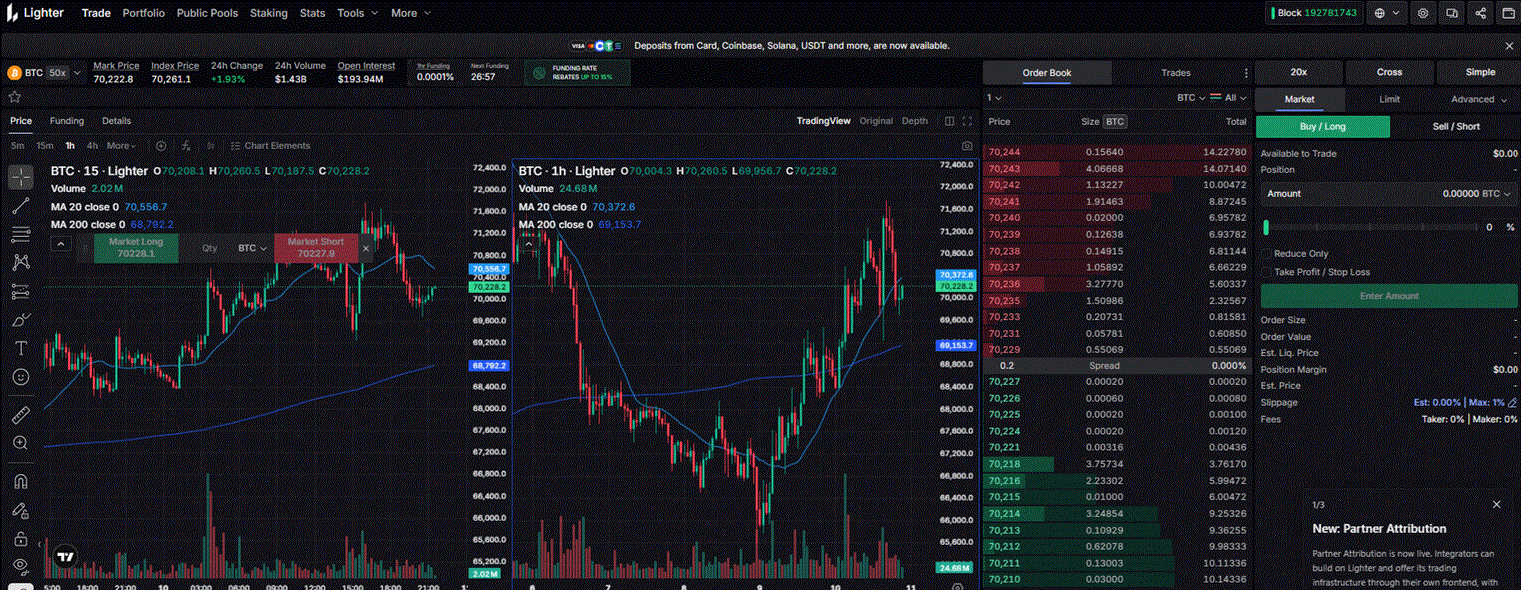
Lighter is one of the fastest-growing decentralised perpetual exchanges in 2026, with a distinctive technical foundation: a fully on-chain, verifiable order book where every match and liquidation can be cryptographically proven. It is built on Ethereum L2 infrastructure and designed for performance — execution speeds comparable to centralised exchanges while retaining the transparency and self-custody guarantees of DeFi.
For algo traders, Lighter is particularly interesting because it was built with programmatic access in mind from the start. API documentation is well-structured, official SDKs are available in Python, Rust and Go, and the exchange supports up to 252 API keys per account — enabling isolated keys for different strategies or environments.
Why Lighter for Algo Trading
- Verifiable order matching — every order match and liquidation produces a cryptographic proof, making Lighter uniquely auditable
- High performance — execution comparable to a CEX while remaining fully on-chain
- Multiple SDK languages — Python, Rust and Go SDKs maintained officially
- Up to 252 API keys — isolate different strategies, environments or sub-accounts with separate keys
- WebSocket streaming — real-time order book, market stats and account updates
- Zero trading fees — Lighter operates a zero-fee model (fees may apply to specific order types; check current fee schedule)
- API-first design — the exchange was built to be programmatically accessible
What You Need to Get Started
- A Lighter account (connect an Ethereum wallet at app.lighter.xyz)
- An API key private key — generated in the Lighter app (separate from your Ethereum private key)
- An Ethereum wallet and private key for on-chain transaction signing
- Python 3.9+ with the Lighter SDK installed
- USDC deposited as collateral on Lighter
Step 1 — Create an API Key
Lighter distinguishes between your Ethereum wallet (which controls your account on-chain) and API keys (which are lighter-weight keys used to sign API requests). Each account can have up to 252 API keys with indices 3–254 (0 = desktop interface, 1 = mobile PWA, 2 = mobile app).
How to set it up:
- Go to app.lighter.xyz and connect your Ethereum wallet
- Navigate to Settings → API Keys
- Generate a new API key — you will receive an API key index and a private key
- Save the private key immediately — it will not be shown again
- Store credentials in a
.envfile
# .env
LIGHTER_API_KEY_PRIVATE_KEY=0xabc123...   # API key private key (for signing requests)
LIGHTER_ETH_PRIVATE_KEY=0xdef456...        # Ethereum wallet private key (for on-chain txns)
LIGHTER_API_KEY_INDEX=3                    # Index of your API key (3-254)
WEB3_PROVIDER_URL=https://arb-mainnet.g.alchemy.com/v2/YOUR_KEY
A Web3 provider URL (Alchemy, Infura or similar) is needed for on-chain interactions such as deposits and withdrawals. For read-only API calls and order placement, it is optional.
Step 2 — Install the Python SDK
pip install lighter-sdk
The SDK is maintained by the Lighter team at github.com/elliottech/lighter-python.
Step 3 — Connect and Fetch Market Data
import os
import asyncio
from dotenv import load_dotenv
from lighter.lighter_client import Client

load_dotenv()

# Create client — api_auth is your API key private key
client = Client(
    api_auth=os.getenv("LIGHTER_API_KEY_PRIVATE_KEY"),
    web3_provider_url=os.getenv("WEB3_PROVIDER_URL"),
)

# Fetch all markets
markets = client.api.get_all_markets()
for market in markets.get("markets", []):
    print(f"  {market['symbol']}: mark={market['markPrice']}  funding={market['fundingRate']}")

# Fetch order book for BTC-USDC
orderbook = client.api.get_orderbook(market_id=0)  # market_id 0 = BTC
print(f"Best bid: {orderbook['bids'][0]}")
print(f"Best ask: {orderbook['asks'][0]}")
Step 4 — Fetch Historical Candles
import time

def fetch_candles(market_id: int, resolution: int, days: int) -> list:
    """
    Fetch OHLCV candles from Lighter.
    resolution: candle size in seconds (60=1min, 300=5min, 3600=1h, 86400=1d)
    """
    end_ts   = int(time.time())
    start_ts = end_ts - days * 24 * 3600

    candles = client.api.get_candlesticks(
        market_id=market_id,
        resolution=resolution,
        start_time=start_ts,
        end_time=end_ts,
    )
    return candles.get("candlesticks", [])

btc_candles = fetch_candles(market_id=0, resolution=3600, days=7)  # 1H candles, 7 days
print(f"Fetched {len(btc_candles)} candles")
for c in btc_candles[-3:]:
    print(f"  O:{c['open']}  H:{c['high']}  L:{c['low']}  C:{c['close']}  V:{c['volume']}")
Step 5 — Place an Order
# Get current mark price
markets = client.api.get_all_markets()
btc_market = next(m for m in markets["markets"] if m["symbol"] == "BTC-USDC")
mark_price = float(btc_market["markPrice"])

# Place a limit buy order
limit_price = round(mark_price * 0.99, 1)  # 1% below current mark price

order_result = client.api.create_order(
    market_id=0,          # 0 = BTC-USDC
    client_order_id=1,    # your own reference ID
    is_ask=False,         # False = buy (bid), True = sell (ask)
    amount="0.001",       # size in BTC
    price=str(limit_price),
    order_type="LIMIT",
    time_in_force="GTC",  # Good Till Cancelled
    reduce_only=False,
)
print(f"Order placed: {order_result}")
Step 6 — Stream Real-Time Data via WebSocket
Lighter’s WebSocket API provides market stats, order book updates and account-level streams.
import asyncio
import websockets
import json

LIGHTER_WS = "wss://mainnet.zklighter.elliot.ai/stream"

async def stream_market_stats():
    async with websockets.connect(LIGHTER_WS) as ws:
        # Subscribe to market stats (includes mark price, funding rate, open interest)
        await ws.send(json.dumps({
            "type": "subscribe",
            "channel": "market_stats",
            "market_id": 0    # BTC-USDC
        }))
        print("Subscribed to BTC market stats")

        async for raw in ws:
            msg = json.loads(raw)
            data = msg.get("data", {})
            if "mark_price" in data:
                print(
                    f"BTC mark: {data['mark_price']}"
                    f"  funding: {data['funding_rate']}"
                    f"  OI: {data['open_interest']}"
                )

asyncio.run(stream_market_stats())
Available WebSocket channels:
– market_stats — mark price, index price, funding rate, open interest, 24H volume
– orderbook — real-time order book depth
– account — private channel for fills, position updates and order confirmations (requires auth)
Working with Multiple API Keys
One of Lighter’s most useful features for systematic traders is multi-key support. You can create different API keys for:
- Production strategy — key used by your live trading bot
- Development / backtesting — key used by your research environment, with no risk of accidentally affecting live positions
- Monitoring — a read-only key used by your dashboard or alerting system (configure with minimum permissions)
# Create a new API key programmatically
new_key = client.blockchain.create_api_key(
    api_key_index=4,    # Choose an unused index between 3-254
)
print(f"New API key index: {new_key['index']}")
print(f"New API key address: {new_key['address']}")
Async API for High-Throughput Strategies
For strategies that need to process many requests concurrently, use the async API client:
import asyncio
from lighter.lighter_client import Client

async def fetch_multiple_markets():
    client = Client(api_auth=os.getenv("LIGHTER_API_KEY_PRIVATE_KEY"))

    # Fetch market data for multiple assets concurrently
    tasks = [
        client.async_api.get_orderbook(market_id=0),   # BTC
        client.async_api.get_orderbook(market_id=1),   # ETH
        client.async_api.get_orderbook(market_id=2),   # SOL
    ]
    results = await asyncio.gather(*tasks)

    for market_id, ob in enumerate(results):
        best_bid = ob["bids"][0]["price"] if ob["bids"] else "N/A"
        best_ask = ob["asks"][0]["price"] if ob["asks"] else "N/A"
        print(f"Market {market_id} — Bid: {best_bid}  Ask: {best_ask}")

asyncio.run(fetch_multiple_markets())
The async client is built on asyncio and supports concurrent calls without blocking — essential for any strategy that monitors multiple markets simultaneously.
Lighter API Quick Reference
| Action | Type | SDK Call |
|---|---|---|
| Get all markets | REST | client.api.get_all_markets() |
| Get order book | REST | client.api.get_orderbook(market_id) |
| Get candles | REST | client.api.get_candlesticks(market_id, resolution, start_time, end_time) |
| Get account info | REST | client.api.get_account(account_id) |
| Get open positions | REST | client.api.get_positions(account_id) |
| Place order | REST | client.api.create_order(market_id, is_ask, amount, price, …) |
| Cancel order | REST | client.api.cancel_order(market_id, order_id) |
| Stream market stats | WebSocket | subscribe: market_stats + market_id |
| Stream order book | WebSocket | subscribe: orderbook + market_id |
| Stream account fills | WebSocket | subscribe: account (authenticated) |
| Create new API key | On-chain | client.blockchain.create_api_key(api_key_index) |
Key Takeaways
- Lighter uses two separate keys: an API key private key (for signing API requests) and your Ethereum private key (for on-chain actions like deposits)
- Up to 252 API keys per account — isolate production, development and monitoring with separate keys
- The official Python SDK (
lighter-sdk) supports both synchronous and async usage; useasync_apifor concurrent multi-market strategies - WebSocket channels cover market stats, order book depth and private account streams
- Zero trading fees make Lighter particularly attractive for high-frequency or high-volume systematic strategies
Useful Links
- Lighter API Documentation
- Lighter Docs — General
- Official Python SDK — GitHub
- Python SDK on PyPI
- Get Started for Programmers
- API Keys Documentation
- Lighter App
- Lighter Telegram API Updates
For a general introduction to algo trading concepts and strategy design, see our Algorithmic Trading guide. For building a full data pipeline with TimescaleDB and WebSocket feeds, see our Build Your Own Trading Application page.