Introduction
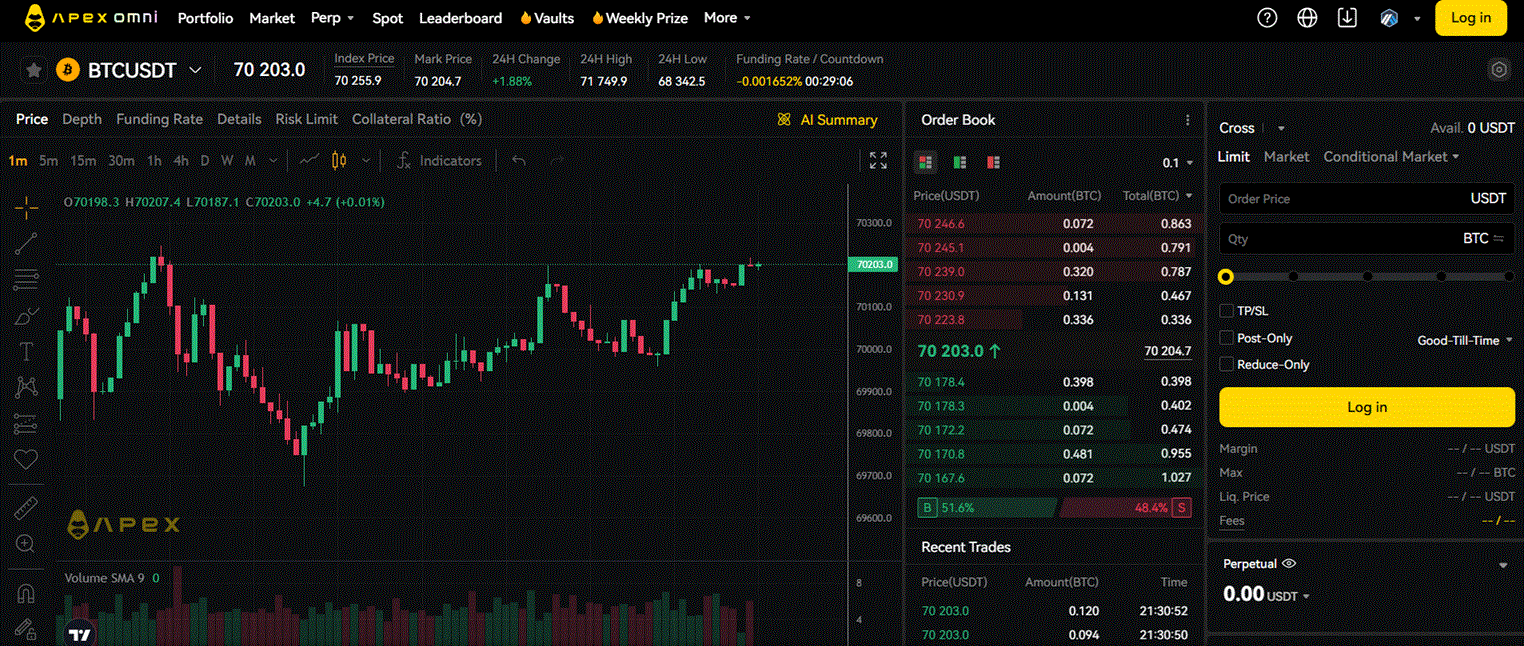
ApeX (ApeX Omni) is a decentralised perpetual exchange built on a hybrid model — off-chain order matching for speed with on-chain settlement for security. It supports trading across multiple blockchains simultaneously, including Ethereum, Arbitrum, Base and BNB Chain, making it one of the more flexible DeFi perp platforms for traders who operate across chains.
ApeX provides a full REST and WebSocket API, an official Python SDK, and a well-maintained API documentation portal. For algo traders, it offers a capable set of endpoints for market data, order management and account state, with authentication based on Stark key cryptography — the same signing standard used by dYdX.
Why ApeX for Algo Trading
- Multi-chain — trade from Ethereum, Arbitrum, Base, BNB Chain and more from a single account
- Hybrid architecture — fast off-chain matching engine, on-chain settlement; good balance of speed and security
- Official Python SDK —
pip install apexpro, with examples for all major operations - Full WebSocket API — real-time public and private streams for prices, order book, fills and account updates
- Active API documentation — maintained portal at api-docs.pro.apex.exchange
- Zero-knowledge proof settlement — trades settle with cryptographic proofs, not just signatures
What You Need to Get Started
- An ApeX Omni account (connect a wallet at omni.apex.exchange)
- An API key with a Stark private key — generated in the account settings (explained below)
- Python 3.9+ with the
apexpropackage installed - USDC collateral deposited to ApeX
Step 1 — Generate Your API Key and Stark Key
ApeX uses two credentials for API authentication:
- API Key + Secret + Passphrase — standard API credentials for request authentication
- Stark Private Key — a secondary cryptographic key used to sign orders (specific to the StarkEx / dYdX-style architecture)
How to set it up:
- Go to omni.apex.exchange and connect your wallet
- Click your wallet address in the top right → API Management
- Click Generate API — you will receive an API Key, Secret and Passphrase. Save these immediately — the secret is not shown again
- Click Stark Key to view and export your Stark private key
- Store all credentials in a
.envfile
# .env
APEX_API_KEY=your_api_key
APEX_API_SECRET=your_api_secret
APEX_API_PASSPHRASE=your_passphrase
APEX_STARK_PRIVATE_KEY=your_stark_private_key
APEX_ACCOUNT_ID=your_account_id
Step 2 — Install the Python SDK
pip install apexpro
The apexpro package covers both ApeX Omni (the current main platform) and the older ApeX Pro. Use the Omni endpoints for new integrations.
Step 3 — Connect and Fetch Account Data
import os
from dotenv import load_dotenv
from apexpro.http_private_stark_key_sign import HttpPrivateStark
from apexpro.constants import APEX_OMNI_HTTP_MAIN, NETWORKID_MAIN

load_dotenv()

client = HttpPrivateStark(
    APEX_OMNI_HTTP_MAIN,
    network_id=NETWORKID_MAIN,
    stark_private_key=os.getenv("APEX_STARK_PRIVATE_KEY"),
    api_key_credentials={
        "key":        os.getenv("APEX_API_KEY"),
        "secret":     os.getenv("APEX_API_SECRET"),
        "passphrase": os.getenv("APEX_API_PASSPHRASE"),
    },
)

# Fetch account details
account = client.get_account()
print(f"Account ID: {account['data']['id']}")
print(f"Equity: {account['data']['equity']}")

# Fetch open positions
positions = client.get_positions()
for p in positions.get("data", {}).get("positions", []):
    print(f"  {p['symbol']}: size={p['size']} side={p['side']} PnL={p['unrealizedPnl']}")
Step 4 — Place an Order
import time

# Get current BTC price from public endpoint
from apexpro.http_public import HttpPublic
pub = HttpPublic(APEX_OMNI_HTTP_MAIN)
ticker = pub.ticker(symbol="BTC-USDC")
btc_price = float(ticker["data"]["lastPrice"])
print(f"BTC price: {btc_price:.2f}")

# Place a limit buy order
limit_price = round(btc_price * 0.99, 1)  # 1% below market

order = client.create_order(
    symbol="BTC-USDC",
    side="BUY",
    type="LIMIT",
    size="0.001",
    price=str(limit_price),
    limitFeeRate="0.0005",
    timeInForce="GOOD_TIL_CANCEL",
    reduceOnly=False,
)
print(f"Order placed: {order['data']['id']}")
Step 5 — Stream Real-Time Data via WebSocket
ApeX provides separate WebSocket endpoints for public (market data) and private (account data) streams.
import asyncio
import websockets
import json

APEX_WS_PUBLIC = "wss://quote.omni.apex.exchange/realtime_public"

async def stream_prices():
    async with websockets.connect(APEX_WS_PUBLIC) as ws:
        # Subscribe to BTC ticker
        await ws.send(json.dumps({
            "op": "subscribe",
            "args": ["tickers.BTC-USDC"]
        }))
        print("Subscribed to BTC-USDC ticker feed")

        async for raw in ws:
            msg = json.loads(raw)
            if "data" in msg and "lastPrice" in msg.get("data", {}):
                print(f"BTC: {msg['data']['lastPrice']}")

asyncio.run(stream_prices())
Available public WebSocket channels:
– tickers.{symbol} — latest price, volume, funding rate
– orderbook.{symbol} — order book depth (25 or 200 levels)
– trade.{symbol} — recent trades
Private WebSocket channels (require authentication):
– order — order updates and fills
– position — position changes
– account — balance and margin updates
Step 6 — Fetch Historical Candles
# Fetch historical OHLCV data
candles = pub.klines(
    symbol="BTC-USDC",
    interval="60",     # in minutes: 1, 5, 15, 30, 60, 120, 240, 360, 720, 1440
    start=str(int(time.time()) - 7 * 24 * 3600),  # 7 days ago (Unix seconds)
    end=str(int(time.time())),
    limit=500,
)

for c in candles["data"][-3:]:
    print(f"  O:{c['open']}  H:{c['high']}  L:{c['low']}  C:{c['close']}  V:{c['volume']}")
Multi-Chain Deposits
One of ApeX’s distinctive features is multi-chain deposit support. You can fund your trading account from:
- Ethereum mainnet (USDC, USDT)
- Arbitrum (USDC)
- Base (USDC)
- BNB Chain (USDT)
- And additional supported chains
The deposit process converts funds to the internal USDC balance automatically. This makes ApeX accessible regardless of which chain your capital currently sits on.
ApeX API Quick Reference
| Action | Type | SDK Call / Endpoint |
|---|---|---|
| Get ticker / latest price | REST (public) | pub.ticker(symbol) |
| Get candles | REST (public) | pub.klines(symbol, interval, start, end) |
| Get order book | REST (public) | pub.depth(symbol) |
| Get account info | REST (private) | client.get_account() |
| Get positions | REST (private) | client.get_positions() |
| Place order | REST (private) | client.create_order(symbol, side, type, size, price, …) |
| Cancel order | REST (private) | client.delete_order(orderId) |
| Stream prices | WebSocket public | subscribe: tickers.{symbol} |
| Stream order book | WebSocket public | subscribe: orderbook.{symbol} |
| Stream fills | WebSocket private | subscribe: order |
Key Takeaways
- ApeX Omni uses two credentials: a standard API key (key/secret/passphrase) and a Stark private key for order signing
- The official Python SDK (
apexpro) handles authentication and request building — install it withpip install apexpro - Multi-chain support means you can deposit USDC/USDT from Ethereum, Arbitrum, Base or BNB Chain directly
- Separate WebSocket endpoints exist for public market data and private account data
- Historical candles are available via the public REST endpoint with intervals from 1 minute to 1 day
Useful Links
- ApeX Omni API Documentation
- Official Python SDK — GitHub
- Python SDK on PyPI
- ApeX Omni — API Key Management
- ApeX Exchange
For a general introduction to algo trading concepts and strategy design, see our Algorithmic Trading guide. For building a full data pipeline with TimescaleDB and WebSocket feeds, see our Build Your Own Trading Application page.