Introduction
Bybit is one of the three largest derivatives exchanges in the world by volume, and one of the most capable platforms available for algorithmic traders on a centralised exchange. Its REST and WebSocket API is well-documented, actively maintained, and backed by an official Python SDK — pybit — that covers all major operations from order placement to account management.
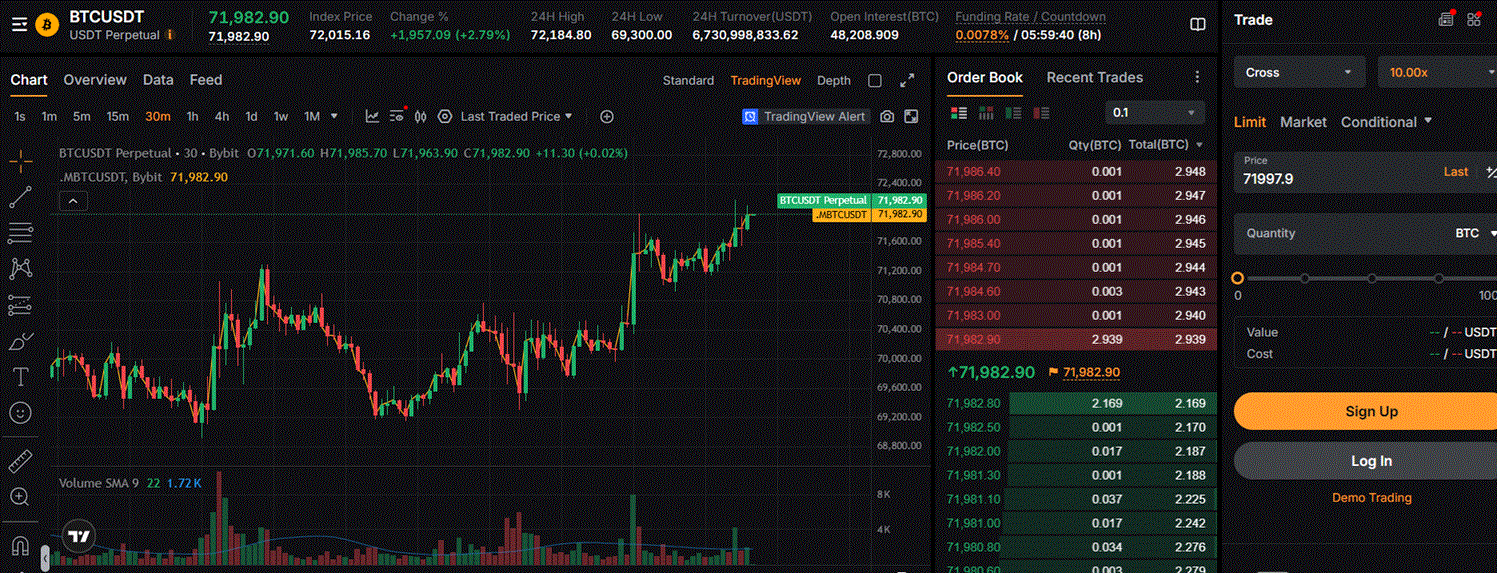
For traders who want the depth and execution quality of a top-tier CEX combined with programmatic access, Bybit offers a mature API environment with full perpetuals support, a live testnet, and native TradingView charting on the interface side.
Why Bybit for Algo Trading
- Official Python SDK —
pybitis maintained by the Bybit team, covers REST and WebSocket with clean abstractions - Full perpetuals API — all order types supported: limit, market, conditional (stop/TP/SL), reduce-only
- WebSocket for live data — public streams for tickers, order book and trades; private streams for fills, positions and wallet updates
- Testnet available — a dedicated testnet environment lets you validate your strategy before going live with real capital
- Deep liquidity — among the tightest spreads available on BTC/ETH perpetuals, important for strategies sensitive to fill quality
- High rate limits — Bybit’s API is permissive for most systematic strategies at standard tier
What You Need to Get Started
- A Bybit account (requires KYC — government ID and liveness check)
- An API key with trading permissions — generated in account settings
- Python 3.9+ with
pybitinstalled - USDT deposited as collateral on Bybit
Step 1 — Generate an API Key
- Log in at bybit.com and go to Account → API Management
- Click Create New Key
- Choose System-generated API Keys
- Set permissions: enable Read and Trade — do not enable withdrawal permissions for trading bots
- Copy the API Key and API Secret — the secret is shown only once
- Store credentials in a
.envfile
# .env
BYBIT_API_KEY=your_api_key
BYBIT_API_SECRET=your_api_secret
Step 2 — Install the Python SDK
pip install pybit
The pybit package is the official Bybit SDK, available on PyPI and maintained at github.com/bybit-exchange/pybit.
Step 3 — Connect and Fetch Market Data
import os
from dotenv import load_dotenv
from pybit.unified_trading import HTTP

load_dotenv()

# Public client — no auth needed for market data
session = HTTP(testnet=False)

# Fetch ticker for BTCUSDT perpetual
ticker = session.get_tickers(category="linear", symbol="BTCUSDT")
btc_price = float(ticker["result"]["list"][0]["lastPrice"])
print(f"BTC last price: {btc_price:.2f}")

# Fetch order book (top 25 levels)
orderbook = session.get_orderbook(category="linear", symbol="BTCUSDT", limit=25)
best_bid = orderbook["result"]["b"][0][0]
best_ask = orderbook["result"]["a"][0][0]
print(f"Best bid: {best_bid}  Best ask: {best_ask}")
Step 4 — Place an Order
# Authenticated session
auth_session = HTTP(
    testnet=False,
    api_key=os.getenv("BYBIT_API_KEY"),
    api_secret=os.getenv("BYBIT_API_SECRET"),
)

# Fetch current price
ticker = auth_session.get_tickers(category="linear", symbol="BTCUSDT")
btc_price = float(ticker["result"]["list"][0]["lastPrice"])

# Place a limit buy order
limit_price = round(btc_price * 0.99, 1)  # 1% below market

order = auth_session.place_order(
    category="linear",
    symbol="BTCUSDT",
    side="Buy",
    orderType="Limit",
    qty="0.001",          # size in BTC
    price=str(limit_price),
    timeInForce="GTC",    # Good Till Cancelled
    reduceOnly=False,
    closeOnTrigger=False,
)
print(f"Order ID: {order['result']['orderId']}")
Step 5 — Stream Real-Time Data via WebSocket
pybit includes a built-in WebSocket manager — no manual connection handling required.
from pybit.unified_trading import WebSocket
import time

def handle_ticker(msg):
    data = msg["data"]
    print(f"BTC: {data['lastPrice']}  OI: {data['openInterest']}  Funding: {data['fundingRate']}")

# Public WebSocket — market data
ws = WebSocket(
    testnet=False,
    channel_type="linear",
)
ws.ticker_stream(symbol="BTCUSDT", callback=handle_ticker)

time.sleep(30)  # Stream for 30 seconds
Available public WebSocket streams:
– ticker — latest price, volume, funding rate, open interest
– orderbook — order book depth (1, 50, 200 or 500 levels)
– publicTrade — real-time trade feed
Private WebSocket streams (require authentication):
– order — order updates and fills
– position — position changes
– wallet — balance and margin updates
Step 6 — Fetch Historical Candles
import time

def fetch_candles(symbol: str, interval: str, days: int) -> list:
    """
    Fetch OHLCV candles from Bybit.
    interval: "1", "3", "5", "15", "30", "60", "120", "240", "D"
    """
    end_ms   = int(time.time() * 1000)
    start_ms = end_ms - days * 24 * 60 * 60 * 1000

    result = session.get_kline(
        category="linear",
        symbol=symbol,
        interval=interval,
        start=start_ms,
        end=end_ms,
        limit=1000,
    )
    return result["result"]["list"]

candles = fetch_candles("BTCUSDT", "60", days=7)  # 1H candles, 7 days
print(f"Fetched {len(candles)} candles")
for c in candles[-3:]:
    # Format: [startTime, open, high, low, close, volume, turnover]
    print(f"  O:{c[1]}  H:{c[2]}  L:{c[3]}  C:{c[4]}  V:{c[5]}")
Testing on Testnet
Bybit provides a full testnet environment — create a separate account at testnet.bybit.com, generate testnet API keys there, and set testnet=True in the SDK:
session = HTTP(
    testnet=True,
    api_key="your_testnet_api_key",
    api_secret="your_testnet_api_secret",
)
The testnet mirrors mainnet API structure exactly — all endpoints and order types are identical. Fund your testnet account using the built-in faucet.
Bybit API Quick Reference
| Action | Type | SDK Call |
|---|---|---|
| Get ticker / latest price | REST (public) | session.get_tickers(category, symbol) |
| Get order book | REST (public) | session.get_orderbook(category, symbol, limit) |
| Get candles | REST (public) | session.get_kline(category, symbol, interval, start, end) |
| Get account info | REST (private) | session.get_wallet_balance(accountType) |
| Get positions | REST (private) | session.get_positions(category, symbol) |
| Place order | REST (private) | session.place_order(category, symbol, side, orderType, qty, …) |
| Cancel order | REST (private) | session.cancel_order(category, symbol, orderId) |
| Stream ticker | WebSocket public | ws.ticker_stream(symbol, callback) |
| Stream order book | WebSocket public | ws.orderbook_stream(depth, symbol, callback) |
| Stream fills / orders | WebSocket private | ws_private.order_stream(callback) |
Key Takeaways
- Bybit’s official Python SDK (
pybit) handles authentication, REST and WebSocket — install withpip install pybit - Authentication uses API Key + Secret (HMAC-SHA256) — enable Trade permissions only, never withdrawal permissions on a bot key
- Use
category="linear"for USDT-margined perpetuals throughout — this is the standard for most algo strategies - A full testnet is available at testnet.bybit.com — always validate your strategy there before going live
- WebSocket streams via
pybitrequire no manual connection management — pass a callback function and the SDK handles the rest
Useful Links
- Bybit API Documentation
- Official Python SDK — GitHub
- Python SDK on PyPI
- Bybit API Key Management
- Bybit Testnet
For a general introduction to algo trading concepts and strategy design, see our Algorithmic Trading guide. For building a full data pipeline with TimescaleDB and WebSocket feeds, see our Build Your Own Trading Application page.